
CLAUDE.md is most useful as a guide to how this project works. It should reduce repeated discovery and make the expected checks explicit. This tutorial creates a compact project reference and tests it against a small task, without treating a text file as a security control.
Checked: 10 November 2026. Features and menu labels can vary by plan, workspace and rollout.
Before you start
A project you can edit, Claude Code and knowledge of the project’s real build or preview process. Keep a recoverable starting state. Avoid putting secrets, personal data or private production connection details into instructions that may be committed to a repository.
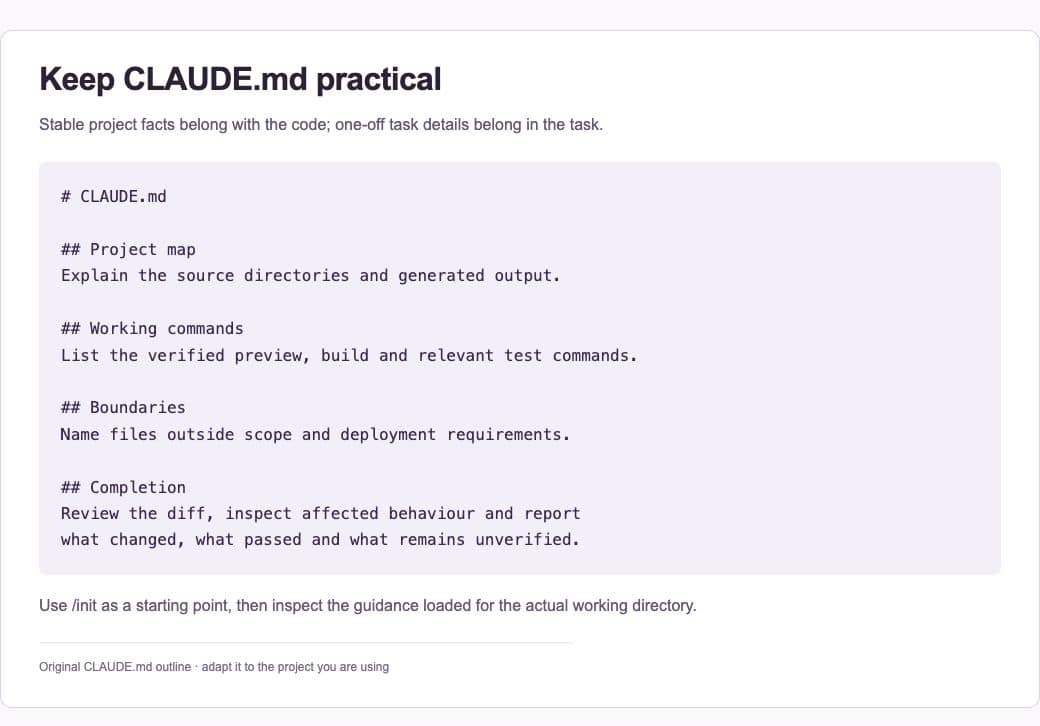
1. Find existing guidance
Look for the project’s current CLAUDE.md or .claude/CLAUDE.md and any applicable rules. Read them before creating a new file. Claude Code’s supported instruction discovery has evolved, so do not assume an older tutorial describes every current interaction with AGENTS.md or other guidance.
2. Use init as a starting point
The /init command can help create or improve a starting instruction file. Review what it infers. It may identify scripts and directories, but you still need to verify that its proposed commands run and that it has not mistaken an old example for the project’s current workflow.
3. Write practical sections
Cover the project’s purpose, important paths, commands, conventions and completion checks. Keep the main file concise; Anthropic recommends a short, focused file rather than an exhaustive manual. Link longer reference material when the task actually needs it.
4. Define edit and deployment boundaries
Name generated output, vendor files and areas needing a separate decision. State how to work on a local or staging copy. Keep the difference between proposing a change, editing code and releasing it clear. A repository instruction should not silently authorise actions for every future task.
5. Check what loaded
Use /context all to inspect the relevant memory-file information in supported Claude Code versions, and /memory to review or edit guidance. Ask Claude to identify the instructions and working directory it is using before a representative task. Investigate a conflict rather than adding another contradictory rule.
6. Maintain it with the project
When a command, directory or convention changes, update the instruction file in the same work. Test a small task after an important edit. Remove obsolete setup steps and keep a useful example of the expected handover so future work can be evaluated consistently.
A prompt to adapt
Review the applicable project instructions before editing. Identify the working directory, relevant guidance, verified preview or test commands and files outside scope. For this task, propose the completion checks first. Do not claim a check passed unless it ran, and report any unavailable environment or conflicting instruction.
Check the result
Give the instructions a realistic test: ask for a small, scoped change that needs the documented preview command. Confirm which files changed and what was actually checked. If the guide cannot help a new contributor work safely, improve the project facts rather than adding more general slogans.
Common questions
Is CLAUDE.md the same as automatic memory?
No. Claude Code distinguishes instructions you deliberately provide from automatically maintained memory. Review both when behaviour is surprising, and keep enduring team rules in the project’s intended shared guidance.
Can I rely on it to prevent dangerous actions?
Use permissions, credentials and approval controls to restrict access. A text instruction communicates a boundary but does not enforce it in the same way as a read-only account or restricted tool permission.
Official references
Keep going
Use Plan Mode when you need to inspect a change before allowing edits. You can also build a first brief with our free prompt generator.